Explore SVG Tags
<circle>
Draws a circle with a specified center and radius.
<svg width="100" height="100">
    <circle cx="50" cy="50" r="40" stroke="black" stroke-width="2" fill="red" />
</svg>
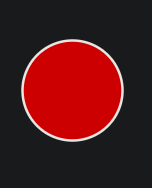
More info: W3C <circle>
<rect>
Draws a rectangle with optional rounded corners.
<svg width="100" height="100">
    <rect x="10" y="10" width="80" height="50" stroke="black" stroke-width="2" fill="blue" />
</svg>

More info: W3C <rect>
<line>
Draws a straight line between two points.
<svg width="100" height="100">
    <line x1="10" y1="10" x2="90" y2="90" stroke="green" stroke-width="2" />
</svg>

More info: W3C <line>
<polygon>
Draws a closed shape with multiple points.
<svg width="100" height="100">
    <polygon points="50,10 90,80 10,80" stroke="purple" stroke-width="2" fill="yellow" />
</svg>
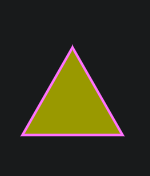
More info: W3C <polygon>
<text>
Displays text inside an SVG.
<svg width="200" height="50">
    <text x="10" y="30" font-family="Arial" font-size="20" fill="black">Hello SVG</text>
</svg>

More info: W3C <text>